

How to Convert Decimal Numbers to Binary
Learn how to convert decimal numbers to binary with clear steps, examples, and tips 🧮. Understand binary's role in computing and avoid common mistakes.
Edited By
Victoria Shaw
Understanding how to convert binary numbers into hexadecimal format is a handy skill in fields like finance, tech trading, and data analysis, especially in today's digital-driven world. Why does it matter? Well, hexadecimal serves as a more compact and human-friendly representation of binary data, making it easier to read and interpret long binary strings that you often come across in computing and financial models.
For those in Kenya’s bustling financial markets or tech sectors, grasping this conversion process can boost your confidence when dealing with systems that store or transmit data in binary form. It's not just abstract math—it's about getting practical insight into what’s happening behind the scenes, whether you're analyzing algorithmic trade signals or interpreting raw data from financial reports.

This guide will walk you through the basics of number systems, highlight the close relationship between binary and hexadecimal formats, and provide an easy-to-follow, step-by-step method to perform conversions yourself. Along the way, you'll pick up useful tips to help avoid common pitfalls. Whether you're a trader interpreting machine-readable data, a broker analyzing system outputs, or an analyst tinkering with financial algorithms, this knowledge will give you an edge.
Mastering the binary to hexadecimal conversion is like learning a new language in the finance and tech world—once you do it, the data speaks clearer and quicker.
Number systems form the backbone of computing and digital communication. Understanding how they work isn't just academic – it's vital for anyone working with data representation, programming, or computer architecture. This section digs into what number systems are and why knowing their basics can give you a leg up when converting between binary and hexadecimal formats.
Binary numbers are the simplest form of number representation, using only two digits: 0 and 1. Each digit in a binary number is called a bit, standing for "binary digit." Think of it like a light switch — it’s either on (1) or off (0). The position of each bit determines its weight, based on powers of two. For example, the binary number 1011 represents:
1 × 2³ (8)
0 × 2² (0)
1 × 2¹ (2)
1 × 2⁰ (1)
Adding those up gives 11 in decimal. This positional nature lets binary numbers represent any decimal number using just those two digits.
Computers use binary because everything inside – electricity, memory storage, processors – understands two states better than anything else. Whether it’s a letter, a number, or an image, it’s all reduced to bits. A common example is ASCII, where each character is 8 bits (a byte). For instance, the letter 'A' is 01000001 in binary. Knowing how data maps to binary means you can better grasp how information is processed and stored, which is a stepping stone toward converting binary into hex efficiently.
Hexadecimal, or hex, uses 16 symbols to represent values: 0 through 9, plus A to F. The letters stand for decimal values 10 to 15, respectively. This system packs more information into fewer digits. In hex, each digit represents four bits (also known as a nibble). For instance, the binary 1111 equals F in hex, and 0001 1010 (binary) equals 1A (hex).
Here’s a quick reference:
0–9 = 0 to 9
A = 10
B = 11
C = 12
D = 13
E = 14
F = 15
Because each hex digit stands for four bits, converting between binary and hex is straightforward by grouping bits and translating.
Hex finds its home in many tech and finance fields. It’s a friendly way to view binary-heavy data without getting lost in strings of zeros and ones. For example, memory addresses in computers often display in hex to simplify debugging and development. In trading software, hex values might pop up when dealing with low-level data feeds or certain encryption formats. Also, colors in web design use hex codes to represent red, green, and blue intensities – easy to remember and compact.
For finance pros and coders alike, mastering hex alongside binary can save time and reduce mistakes when working with machine-level data or debugging software.
Understanding these systems isn't just a techie skill — it’s a handy tool for anyone dealing with digital data in today’s fast-moving world.
Understanding why we convert binary numbers to hexadecimal is key to grasping their practical applications. Binary represents data at the core of computer systems, but it's often long and tedious to read directly. Hexadecimal, on the other hand, offers a neat shorthand that's easier to work with without losing any information. For anyone dealing with finance tech, trading algorithms, or software development, converting between these systems can make data more manageable and less error-prone.
One big advantage of hexadecimal is its compact form. For instance, the 8-bit binary number 11010110 converts to just D6 in hex. That means instead of wrestling with eight binary digits, you handle only two hex characters. This shorter form is particularly useful when dealing with large data sets or memory dumps, where binary can quickly get overwhelming.
Reducing length without sacrificing accuracy helps professionals avoid mistakes and speeds up analysis. Say you're reviewing a data stream in a trading system; reading hex will save you time and reduce the risk of misreading long binary chains.
Hexadecimal is simpler on the eyes, too. Humans naturally find it easier to process groups of four bits as a single hex digit rather than parsing one long string of zeroes and ones. This means when writing or debugging code, you'll spend less time puzzling over numbers and more time focusing on functionality.
For example, a binary string like 101100111000 breaks neatly into hex as B38. This kind of visual grouping makes spotting patterns or errors much faster. It’s like reading a phone number with dashes instead of a continuous string of digits — much more straightforward.
Hexadecimal is a staple in memory addressing. Computers use binary internally, but memory addresses written in pure binary are cumbersome. Hex helps convert these addresses into a form programmers can write and understand easily.
Consider a machine language instruction or a snapshot of memory: addresses like 0x7A3F are way easier to reference than 0111101000111111. If you're working on financial software that requires efficient memory management, knowing how to read and convert addresses from binary to hex is a practical must-have skill.
When troubleshooting bugs or writing low-level code, programmers rely on hex to inspect values quickly. Tools like debuggers or hex editors display memory contents in hexadecimal, allowing for efficient manipulation and diagnosis.
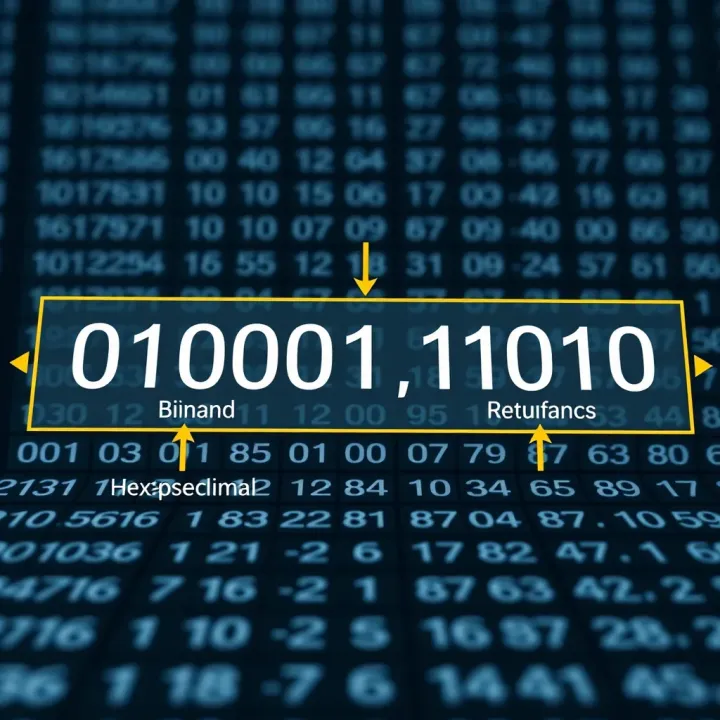
For instance, spotting that a register contains 0xAF instead of 0x9F can quickly highlight why a program behaves unexpectedly. In finance systems where precision matters, such speed and accuracy in debugging can save costly errors.
Remember, mastering the conversion between binary and hexadecimal is more than academic — it tightens your grip on the data your systems use daily, making your work smoother and more accurate.
Knowing how to convert binary numbers into hexadecimal is a practical skill, especially for anyone working with computing or digital systems. This method breaks down the process into manageable parts, letting you go from long strings of ones and zeros to shorter, more readable hexadecimal outputs. It's not just about making numbers look simpler; it helps cut down errors and speeds up work when dealing with memory addresses or debugging software.
The first move in conversion is splitting your binary number into chunks of four bits, starting at the rightmost digit. This method ensures each group corresponds to a single hex digit since one hexadecimal digit equals four binary bits. For example, if you have 110101101, you group it as (1)(1010)(1101), reading from the right. This clear slicing helps you organize the binary into parts easier to translate directly.
Sometimes, your leftmost group might fall short of four bits, like the (1) in the example above. To fix this, simply add zeros on the left side of the group to make it four bits. So (1) becomes (0001). This padding doesn't change the value but keeps the groups consistent for accurate conversion. Think of it as filling in the blanks to avoid confusion once you move to the next step.
Once the binary bits are grouped, each set translates to a hexadecimal digit using a quick chart or table. For instance, 0001 is 1, 1010 is A, and 1101 is D in hex. This chart simplifies remembering by linking binary patterns directly to hex characters, without crunching calculations each time. Most people find it useful to keep such a chart close when starting out.
Let’s say you have the binary number 10111110. First, group it: (1011)(1110). Then use the chart: 1011 corresponds to B and 1110 to E, so the hex equivalent is BE.
Another example: take 110010. Grouping right to left: (0011)(0010), pad the left group with zeros. Using the chart: 0011 is 3, and 0010 is 2, so the hexadecimal number is 32.
Quick Tip: Always double-check your groups and padding before translating to avoid errors, especially when handling complex binary numbers.
This step-by-step method is straightforward but keeps you on the right track when transitioning from binary to hexadecimal, making your work a lot smoother in the long run.
When converting binary numbers to hexadecimal, even small slip-ups can lead to bigger errors later on. It’s not just about getting the right answer; it’s about understanding the process clearly so you avoid wasting time debugging or making costly mistakes—especially if you’re handling data critical to trading or financial analysis. Paying close attention to common pitfalls can save you from headaches down the road.
Binary numbers need to be split into groups of four digits to convert properly to hex. If your leftmost group has fewer than four bits and you skip padding it with zeros, the resulting hexadecimal digit will be off. For example, take the binary number 10101. Grouping from right to left, you get 1 0101. That leftmost 1 should be padded as 0001 before conversion. Without padding, you might incorrectly treat 1 as a full group and get the wrong hex digit.
Always check your last group, and pad with leading zeros to make it 4 bits if necessary. This small step keeps your conversion accurate and prevents error propagation.
Another trap is grouping bits in the wrong order. It’s common to see beginners start grouping from the left, leading to jumbled bits and incorrect hex values. Always start grouping from the right side, because the rightmost bits are the least significant and must align correctly for the hex digits to make sense.
For example, for binary 1100110, grouping from the right gives you 0110 0110 after padding with a zero on the left, not 1100 110.
Mistakes here can cause wrong hexadecimal interpretations, which can affect calculations or programming logic if not caught.
Hexadecimal digits include numbers 0 to 9 and letters A to F. Letters like B and 8 or D and 0 can look alike at a quick glance, especially in certain fonts or handwriting. Mixing these up can throw off your whole understanding or cause errors in coding or data entry.
For example, a financial model relying on hex codes to represent memory addresses might break if B and 8 are confused, leading to referencing wrong data.
While most situations treat hex digits as case-insensitive (A equals a), some programming environments and systems distinguish between uppercase and lowercase. This is particularly true when hex digits are part of strings or symbolic names that are case-sensitive.
For instance, in a hash comparison or cryptographic routine, a5f2 and A5F2 might be treated differently. It’s important to know whether the context you're working in cares about letter case in hex digits.
Paying attention to case can help prevent unexpected bugs, especially in security-relevant or analytical software used in finance.
By being mindful of these common mistakes, you’ll convert binary numbers to hexadecimal more reliably. This accuracy is vital when working with complex financial systems where every digit counts and misinterpretation could lead to costly errors.
When converting binary numbers to hexadecimal, having the right tools and resources can make all the difference. These tools streamline the process, reduce human error, and save time, especially when dealing with long or complex numbers common in finance and investment data analysis. Whether you’re a trader quickly assessing memory addresses or an analyst converting raw data, using reliable tools helps maintain accuracy and lets you focus on interpreting the results. Let's break down the main types of tools available.
Online calculators offer a quick and no-fuss way to convert binary numbers to hexadecimal. Popular tools like RapidTables and CalculatorSoup are widely used because they require no installation and can handle numbers of varying lengths instantly. These websites allow users to simply paste binary strings and receive the hex equivalent in moments, handy when you need a fast check or don’t want to write code. Many apps on smartphones, including RealCalc and Programmer Calculator, also provide binary-to-hex functionality with added features like saving recent conversions or supporting other base conversions.
The biggest plus with online calculators is their ease of use and immediate results. They reduce the chance of manual grouping or translation errors. However, these tools come with some drawbacks. For instance, they rely on internet access, which might be a limitation in areas with unstable connectivity. Also, using third-party websites raises privacy concerns if you’re entering sensitive data. Finally, these calculators lack customization—for example, you can’t tweak grouping rules or automate batch conversions without running a custom script.
If you're comfortable writing code, built-in functions in popular programming languages are a powerful resource for binary to hexadecimal conversion. Languages like Python, JavaScript, and C# come with straightforward methods that make this conversion painless. For example, Python’s built-in function hex(int(binary_string, 2)) converts a binary string directly into hex. JavaScript uses parseInt(binaryString, 2).toString(16) to achieve the same. These functions are incredibly useful for automating large-scale conversions or embedding this logic into finance applications or trading platforms.
Writing your own script can be a great solution when you need more control. Custom scripts can handle special formatting, error checking, or batch processing across multiple binary inputs. For example, an analyst might write a Python script that reads binary values from a CSV file, converts each to hexadecimal, and outputs a new file with the hex values. This workflow is invaluable when working with large datasets or automating repetitive tasks. While it requires some programming know-how, the investment pays off with precision and flexibility.
Using the right tool depends on your needs—whether quick access with online calculators or deep integration and control through custom programming functions, both have a place in simplifying binary to hexadecimal conversions.
These tools not only make your work smoother but enhance reliability when converting numbers critical for finance, trading systems, or data analysis. Selecting the right resource based on your work environment and data sensitivity is key to getting the job done well.
Practical examples and exercises serve as the backbone for mastering the conversion between binary and hexadecimal systems. They move the discussion from theory to practice, helping you internalize the steps and spot common pitfalls quickly. Especially for traders and analysts who might encounter data in different formats, these practice sessions sharpen your ability to process numbers swiftly and accurately.
When tackling simple binary numbers, breaking down the process step-by-step is key to avoiding confusion. For instance, take the binary number 1101. Start by grouping the digits into 4-bit chunks from right to left—here, it's already four bits so no padding needed. Then convert each chunk into its hexadecimal equivalent: 1101 corresponds to D. This methodical breakdown reduces errors and builds confidence.
Working through clear, slow-paced examples like this ensures you map out each step mentally, reinforcing the exact relationship between each binary digit and its hex counterpart. It's much like training wheels on a bike—once you get the hang of it, future conversions become second nature.
Always double-checking your results is a habit that pays off. One practical way is to convert your hex result back to binary and see if it matches the original number. Using the previous case, converting hex D back to binary gives 1101 again, confirming your accuracy.
Another useful tip is using simple online calculators or programming functions in languages like Python: hex(int('1101', 2)) will show you the hexadecimal value. These quick checks are essential, especially when working with critical figures that must be precise in trading or data analysis.
Complex binary sequences, such as 101110111001, demand careful grouping and possibly padding to form valid 4-bit chunks: 0001 0111 0111 1001. This chunking makes the conversion manageable. Each group now converts to hex digits 1 7 7 9 respectively, resulting in the hexadecimal number 1779.
Handling such strings tests your attention to detail and solidifies your grasp on the conversion rules. It's a skill directly transferable to managing complicated data sets or debugging computer memory states, which traders might experience when dealing with system reports or technical indicators.
In real-world scenarios, say during risk assessment, you might receive raw data dumps from trading algorithms in binary. Quickly converting these to hex can facilitate easier visualization and debugging. For example, hexadecimal gives a cleaner snapshot of memory addresses or transaction flags—critical when evaluating system performance or detecting anomalies.
Learning to apply conversion skills outside textbook problems develops your adaptability. Imagine debugging a live feed where data packets come in binary; by converting to hexadecimal on the fly, you can interpret and react faster—a vital edge in finance and trading where timing is everything.
Tip: Keep practicing with actual binary strings sourced from your daily workflows or software logs. The more familiar you get with these conversions, the faster and more accurately you can operate under pressure.
In summary, practical examples and exercises round out the theoretical knowledge, embedding it through repetition, real data, and verification techniques. This hands-on approach is indispensable for anyone dealing with binary and hexadecimal numbers professionally.
When working with number systems like binary and hexadecimal, wrapping up with a solid summary and clear best practices can make all the difference. This section helps you snap together everything learned so far, highlighting the practical benefits of mastering the conversion process. Whether you're debugging code or dealing with memory addresses, understanding when and how to convert binary to hexadecimal ensures you're not fumbling in the dark.
Converting binary to hexadecimal boils down to grouping bits in chunks of four, starting from the right. Don't forget to pad incomplete groups with zeros on the left to maintain accuracy. Each four-bit group translates directly into a single hex digit, from 0 to F. For instance, the binary 1101011 padded becomes 01101011, which breaks into 0110 and 1011. These correspond to hex digits 6 and B, so the hex equivalent is 6B.
Keeping these basics in mind makes the process straightforward. It’s like translating English to Swahili; start with clear words (bits), group logically (words to sentences), then convert.
Accuracy hinges on careful grouping and consulting the right hex charts. A common mistake is skipping padding zeros or mixing up digit positions. Always check groups starting from the right—never from the left. Sometimes, decimal mistakes sneak in when you interpret hex digits, especially with letters A through F. Double-check your work by converting the hex back to binary if in doubt.
Using tools like Python’s built-in hex() function can help verify your manual conversions quickly:
python binary_str = '1101011' hex_value = hex(int(binary_str, 2)) print(hex_value)# Output will be '0x6b'
Those little checks save a lot of headaches down the line.

### When to Use Binary vs Hexadecimal

#### Contextual considerations:
Binary is king when precision at the bit-level is essential—think network packet analysis, fault tolerance testing, or low-level firmware debugging. Hexadecimal, on the other hand, offers a neat, compact way to represent those bits, making long strings of binary manageable for humans to read and write.

If you’re tracing through raw machine code or memory dumps, hex reduces clutter and speeds up pattern recognition. However, for bitwise operations or when signals rely on exact bit patterns, sticking to binary makes sense.

#### Balancing readability and precision:
Using hex over binary is like choosing shorthand notes during a fast meeting—it’s compact and easier to digest. But, you lose some granularity: a hex digit represents four bits, so certain patterns might be less visible.

A finance professional working with transaction flags in embedded devices, for example, might convert binary status flags into hex for quick logging. However, when diagnosing a transmission error where a single bit flip matters, the binary form is indispensable.

> Always align your choice of numbering system with the task at hand — clarity for human use versus exactness for machine-level detail.

By blending these approaches, you’ll navigate number systems fluently, making your work smoother whether it’s coding, debugging, or data analysis.Learn how to convert decimal numbers to binary with clear steps, examples, and tips 🧮. Understand binary's role in computing and avoid common mistakes.

Learn how to convert binary numbers to octal with clear steps, examples, and tips 🧮. Overcome common challenges and use handy tools for easy conversion!
🔢 Learn how to convert binary numbers to decimal with clear steps, examples, and tips. Understand place value and tech uses in this detailed guide!

Learn how to convert decimal numbers to binary with clear steps and examples. Master this essential tech skill for better understanding of digital systems! 💻🔢
Based on 8 reviews